What Is Framer?
Framer is a no-code website builder. You design in it, you publish from it, and the site goes live. No developer, no separate hosting, no handoff.
If you’ve heard the name and weren’t sure what it actually is, that’s fine. Most people outside product design have no idea. I’ve met developers who’d never heard of it.
This article covers where Framer came from, what it does, who it makes sense for, and how it compares to the tools you probably already know.
TL;DR: Framer is a design-first website builder. More flexible than Squarespace, faster to learn than Webflow, and built for people who care how their site looks.
A quick note on “no-code” before we get into it. There’s a spectrum here. Tools like Wix, Squarespace, and Hostinger Builder are genuinely no-code. You drag blocks around, fill in text, and you’re done. No design knowledge required. Framer is not that. It sits firmly on the Webflow end of the spectrum. It just happens to be a lot easier to learn. It borrows the canvas, the panels, and the component logic straight from Figma. Designers pick it up fast because the mental model is already familiar.
Before Framer, there was Sofa
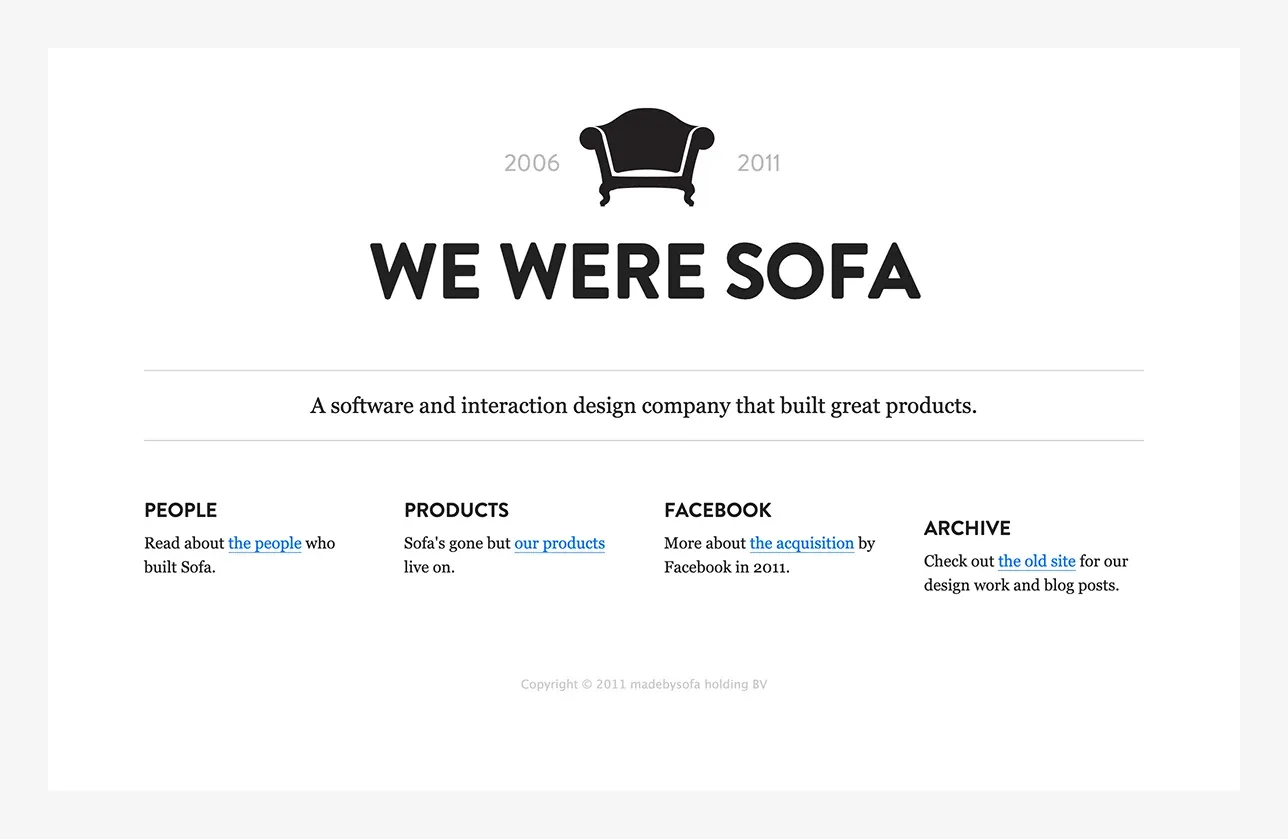
Framer didn’t come out of nowhere. The two founders, Koen Bok and Jorn van Dijk, ran a design studio in Amsterdam called Sofa. If you were into design around 2008 to 2011, you probably remember them. They were the real deal. Tight brand, serious attention to detail, and some of the best skeuomorphic UI work around at the time. Back then, a beautifully crafted app icon mattered. This was the skeuomorphic era. Icons weren’t flat symbols. They were detailed 3D illustrations with reflections, textures, and depth. macOS set the standard. Everaldo Coelho was doing the same in the Linux world with his Crystal Clear icon set, one of my favourites. I followed his work closely and considered him one of the best designers of that period. He later joined Apple. Sofa’s product icons had that same level of craft. Different style, distinctly their own, but the same obsessive attention to detail.
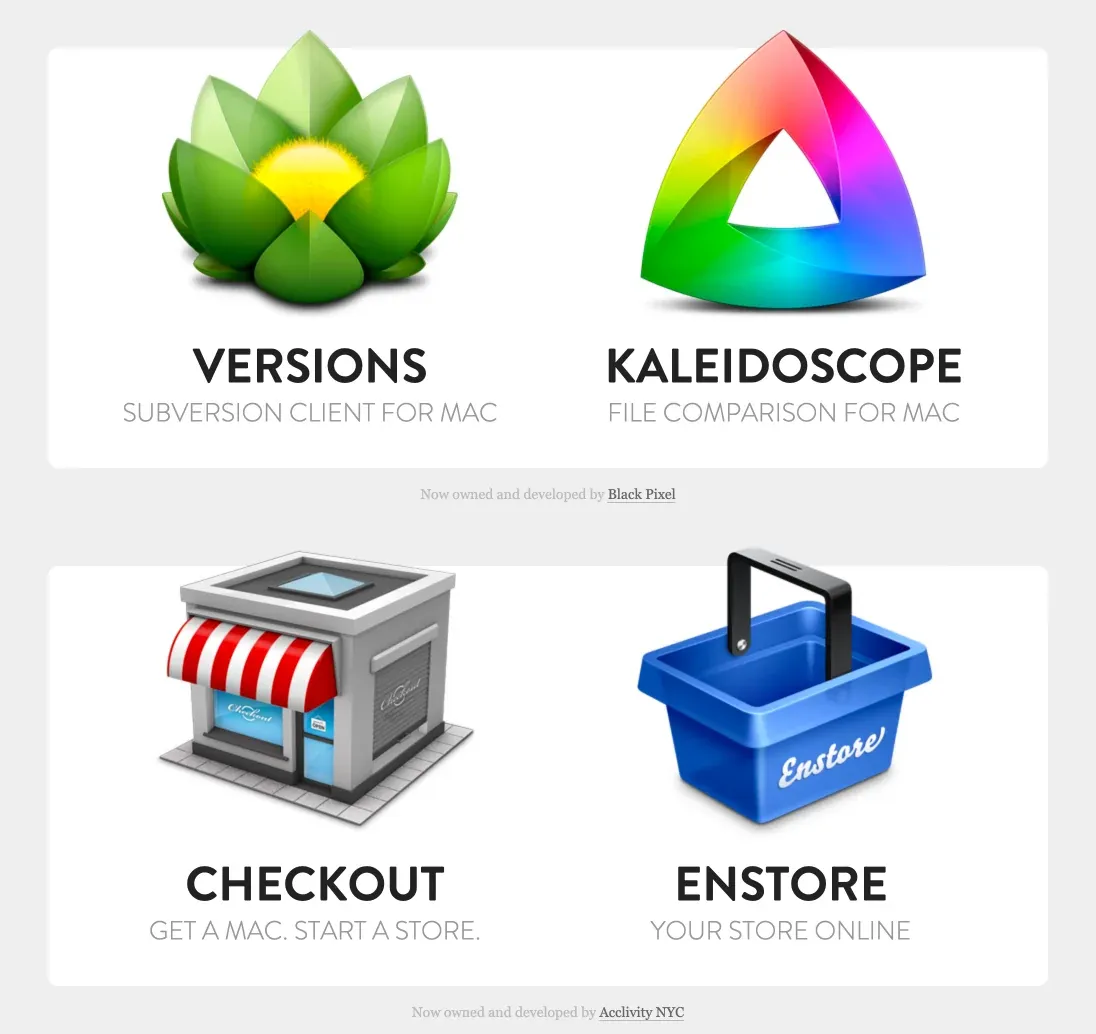
In 2011, Facebook bought them. Not the products, the people. Koen and Jorn moved to Palo Alto and spent the next two years working on Facebook’s core products: Messages, Ads, Photos, Video.
By late 2013 they’d had enough of working for someone else. They left with one goal: build something that would matter for the next 10 to 20 years.
That became Framer.
The prototyping years
To understand why Framer mattered, you need a bit of context.

For most of the 2000s, the dominant design role was Web Designer or Web Master. Then the iPhone arrived in 2007, the App Store opened in 2008, and everything changed. Suddenly designers had to think about tiny screens, touch targets, gestures, and transitions. A completely different set of problems. The industry started taking UX seriously, and with that came a real need for prototyping and user testing. Static mockups weren’t enough anymore. You couldn’t show a client how a swipe gesture felt with a PDF.
Browsers and phones were getting more capable every year. Animations and interactions that were impossible a few years earlier became standard expectations. Designers needed tools that could keep up.
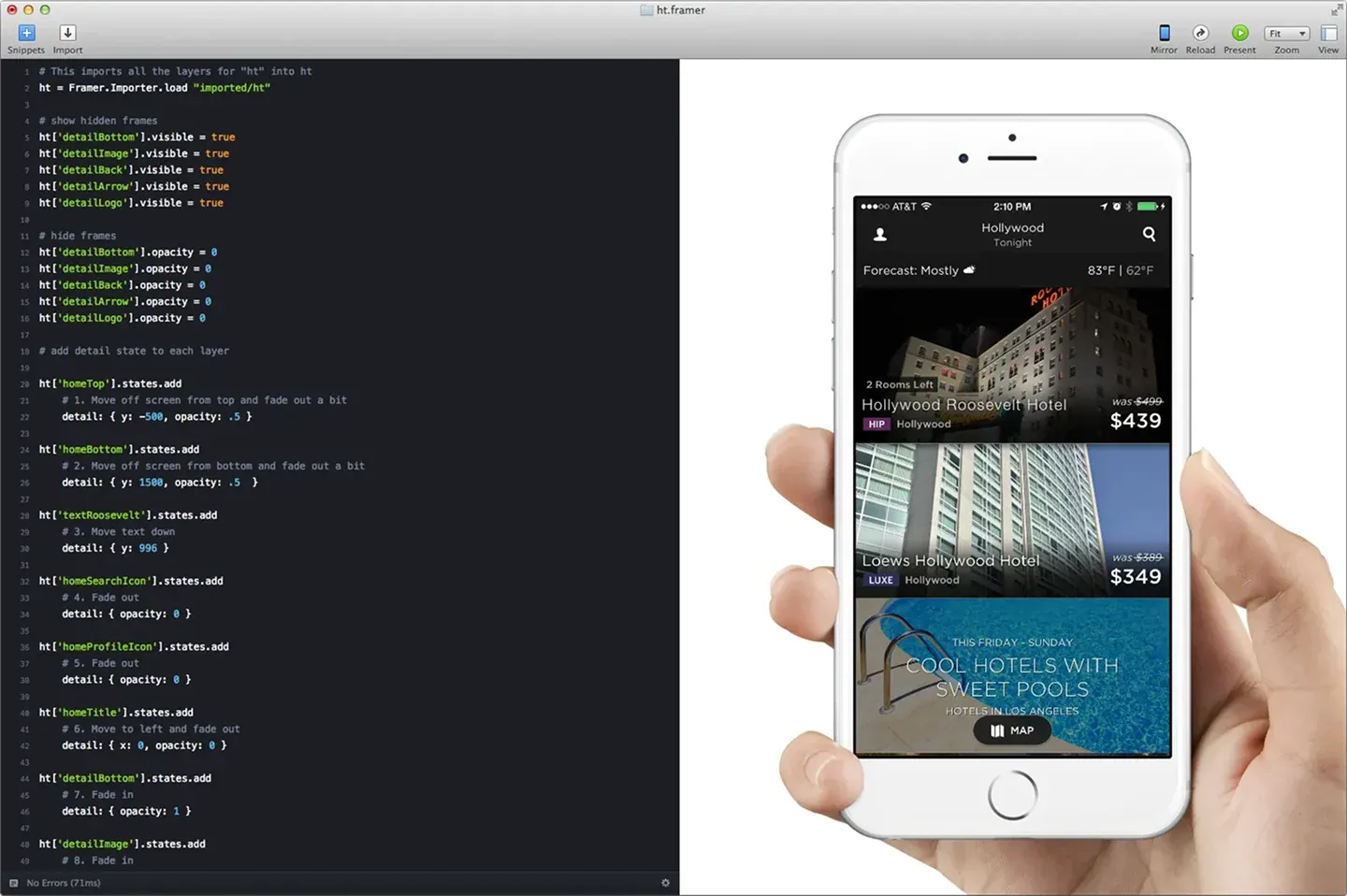
Framer Classic launched in 2014 as a JavaScript-based prototyping tool. It let you build high-fidelity interactive prototypes. Not static screens, actual working interactions. Design teams at Dropbox, Twitter, and Microsoft picked it up fast.
I used it back then. It was the right tool for a specific problem: showing exactly how something should move and behave before a developer built it.
The pivot that changed everything
At some point I stopped following Framer. I had my stack, I had my workflow, and Framer was just that prototyping tool I used when I needed to show interactions. Then I came across a video by Oliur, a designer and YouTuber I follow because he’s straight with his opinions. He was talking about Framer as a website builder.
I watched it twice.
In 2018 the Framer team made what they called a “make or break” decision. They pivoted away from prototyping toward full website creation. It took four years to get right. In May 2022 they launched the Framer Website Builder, and the design community took notice.
You design your site in Framer, hit publish, and it’s live. No developer handoff, no separate CMS to configure, no hosting to set up. What you design is what goes online.
That pivot paid off. By 2025 Framer had 500,000 monthly active users, $50M ARR, and a $2 billion valuation.
Back in December 2022, Brett from DesignJoy tweeted: “Is it just me or is everyone in my feed sponsored by Framer?” It was a joke, but it wasn’t wrong. Framer was everywhere.
Is it just me or is everyone in my feed sponsored by @framer?
— Brett (@BrettFromDJ) December 7, 2022
What Framer actually is today
Framer is a visual website builder that runs in the browser. Your site lives on a canvas, the same way a Figma file does. You zoom in, zoom out, and get a full overview of all your breakpoints without switching between pages. That alone cuts a lot of back and forth.
- Free-form canvas - your site lives on a canvas like a Figma file. Zoom in, zoom out, see all breakpoints at once.
- Production-grade animations - powered by Framer Motion, the same library used in React apps. No CSS hacks.
- Visual component states - hover, focus, and other states are all visual, just like Figma components. No class-based logic.
- Figma-like layout - containers and layers follow the same logic as auto layout. Familiar if you’ve used Figma.
- Built-in CMS - manage dynamic content like blog posts and project pages without a third-party tool.
- Built-in SEO controls - meta titles, descriptions, and canonical URLs on every page.
- Template marketplace - start from an existing design instead of a blank canvas.
- AI tools - generate page layouts from a text prompt with Wireframer, or build custom components with the AI component plugin.
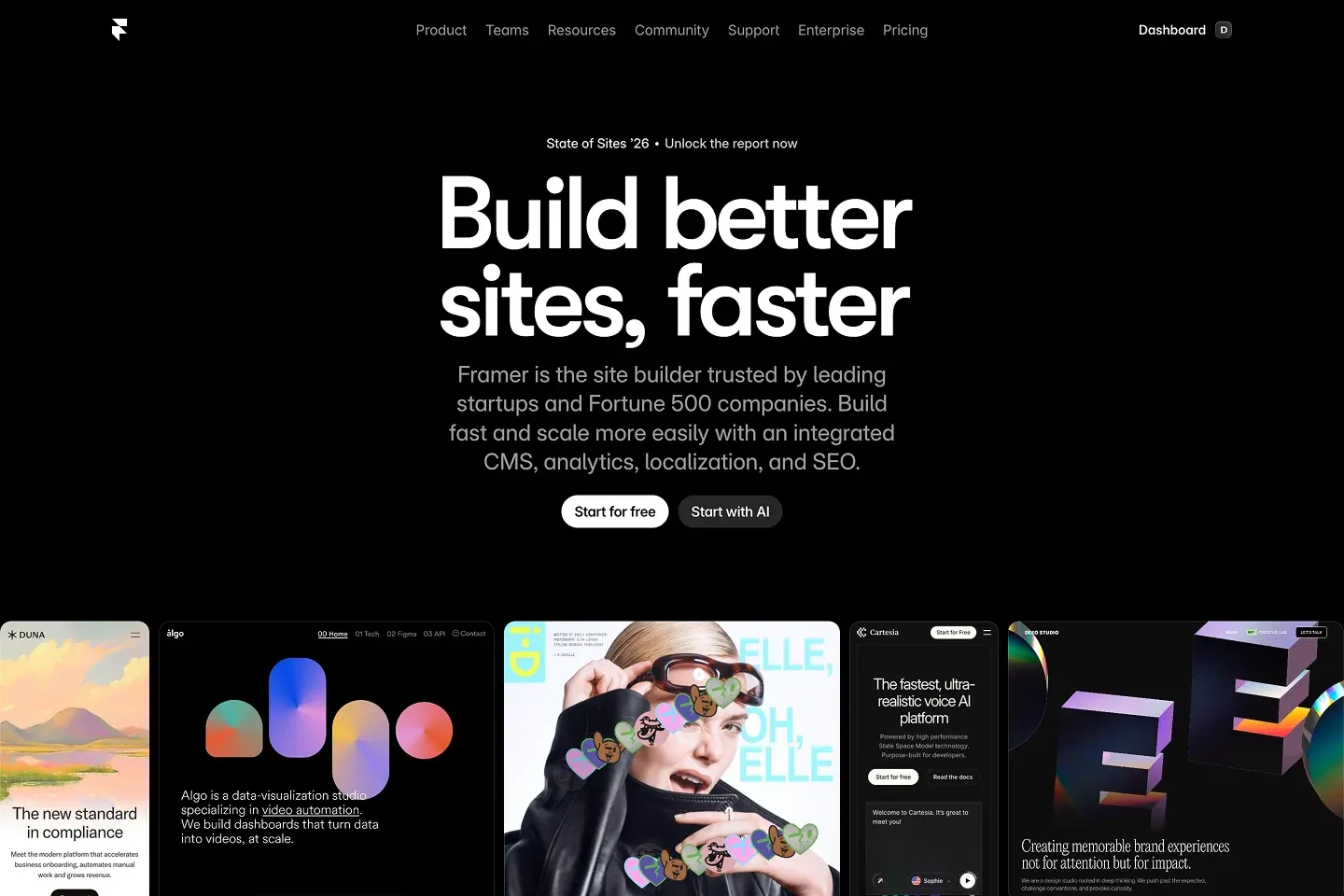
Under the hood, Framer uses Framer Motion, the same animation library that powers interactions in many React applications. The animations you build in Framer aren’t CSS hacks. They’re production-grade motion, the kind developers write by hand in code. You just don’t have to write it.
The component model works like Figma’s, and that’s my favourite thing about it. Hover states, focus states, all of it is visual. You get a separate view where everything is laid out in front of you, exactly like Figma components. Webflow handles this with classes, which is closer to writing actual HTML and CSS. More powerful in some ways, but slower and heavier to work with. I find the Framer approach a lot more natural.
Container and layer management follows the same logic as auto layout in Figma. Grouping elements into a container just clicks if you already think in Figma terms. I picked it up faster than I expected.
The settings panels are simpler and easier to read than Webflow’s. The overall UX is more accessible, without giving up design control.
It also has a built-in CMS for dynamic content like blog posts or project pages, SEO controls on every page, and a template marketplace where you can start from an existing design instead of a blank canvas.
Framer has also been moving fast on AI. Wireframer lets you generate page layouts from a text prompt, which is useful for roughing out ideas quickly. There’s also an AI component tool that helps you build custom components without writing code. Both are shortcuts, not substitutes for actual design thinking. But they save real time on the setup work.
What you can build with it
Most people use Framer for marketing sites and landing pages. A startup homepage, a product launch page, a personal portfolio. Pages that need to look good and load fast.
- Marketing sites and landing pages
- Startup and product homepages
- Personal portfolios
- Blogs and content-heavy sites with CMS
- Forms and email capture
- Integrations with tools like Mailchimp and Airtable via third-party plugins
Beyond that, you can build blogs and content-heavy sites using the CMS. You set up a collection, design a template page, and Framer generates the individual pages automatically. This blog runs on that exact setup.
Framer also handles forms, email capture, and integrations with tools like Mailchimp and Airtable through third-party plugins. It won’t replace a full web app, but for anything in the marketing and content layer of a business, it does the job.
| Can do | Can’t do |
|---|---|
| Marketing sites and landing pages | Complex e-commerce |
| Blogs with CMS | Custom backend logic |
| Forms and email capture | Database-driven applications |
| Third-party integrations | Full web apps |
| Portfolio sites | Advanced membership systems |
Framer is the best website builder I’ve used. One thing that genuinely frustrates me: version control is basically non-existent. You can copy elements from older versions, but you can’t fully revert to one. For a tool this capable, that hurts.
What it won’t do: complex e-commerce, custom backend logic, or anything that needs a database doing real work. For that you need something else.
Who it’s for
Designers who want to build their own sites without learning to code and without giving up design control. If you spend your days in Figma, you’ll feel at home fast. That was my experience anyway.
Good fit:
- Designers who work in Figma and want to build their own sites
- Founders and indie makers with enough design sense to work in a visual editor
- Agencies and freelancers building client sites
- Anyone who cares how their site looks and wants full control
Not a good fit:
- Teams that need serious e-commerce functionality
- Projects that require custom backend logic or a real database
- People who want something that works out of the box without any design decisions
Founders and indie makers who have enough design sense to work in a visual editor. You’ll need to put in a few hours to get comfortable, but it’s not a steep climb.
Agencies and freelancers building sites for clients. Framer’s component system and CMS make it a solid choice, though not every project will call for it. I’ve built templates on it and the whole process went smoothly.
It’s probably not for you if you need serious e-commerce, custom backend logic, or if you just want something that works out of the box without any design decisions. WordPress or Squarespace will serve you better there.
How it compares
Webflow is the closest competitor. Both give you serious design control and both target designers. Webflow has a steeper learning curve and more developer-friendly output. Framer is faster to get started with and tends to produce more polished sites out of the box. Webflow has a larger ecosystem and more mature e-commerce options.
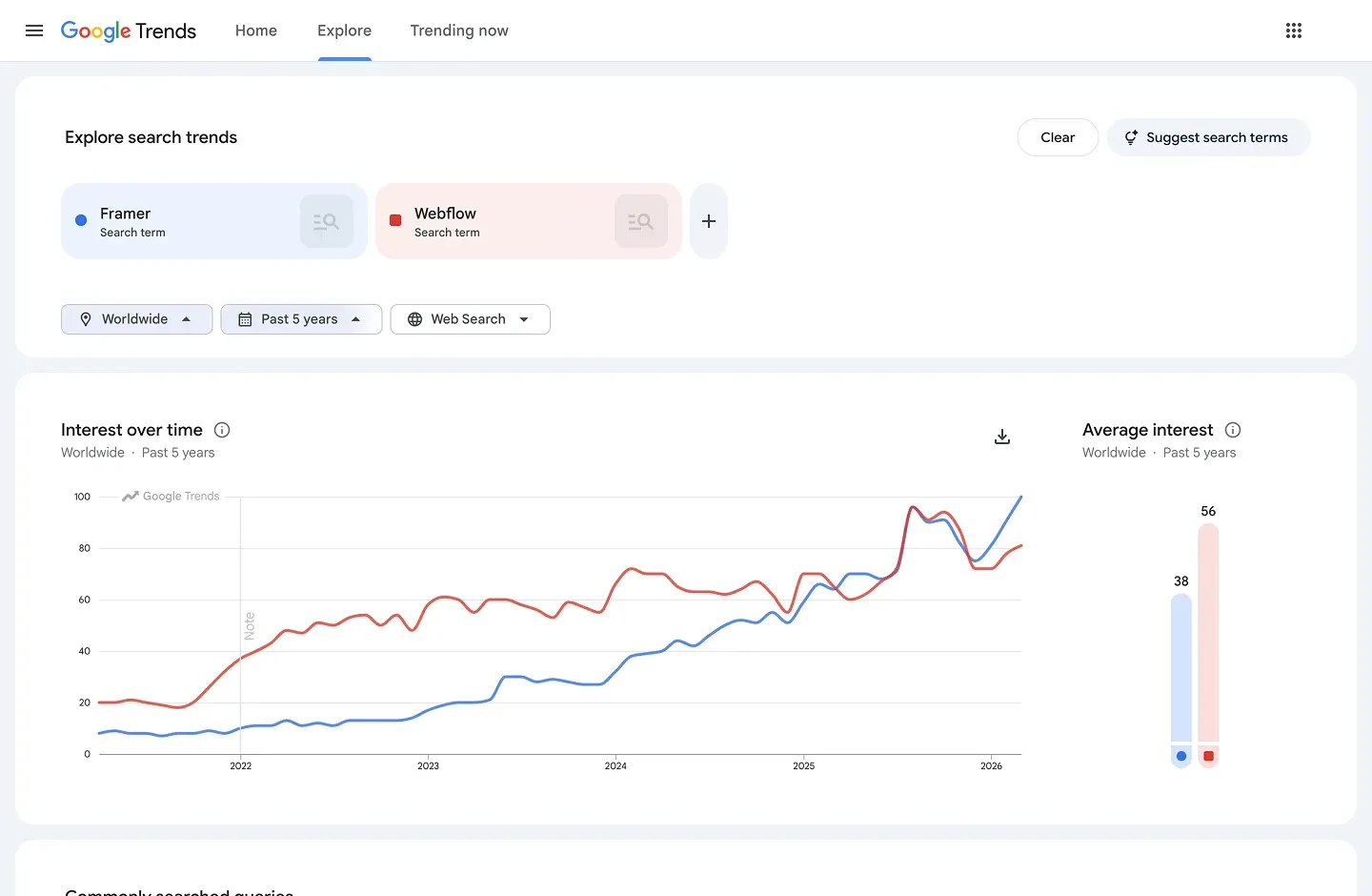
Squarespace, Wix, and Hostinger Builder are different products for a different audience. Genuinely no-code, easy to learn, but limited in design freedom. If you want a site that looks exactly like what you designed, these will frustrate you.
WordPress is a different beast entirely. Endlessly flexible, huge ecosystem, but you need hosting, a theme, plugins, and ongoing maintenance. Framer handles all of that for you. You give up some flexibility and tie yourself to one vendor, which WordPress doesn’t ask of you.
| Tool | Learning curve | Design freedom | CMS | Hosting | Price |
|---|---|---|---|---|---|
| Framer | Medium | High | Yes | Included | $15/mo |
| Webflow | Steep | High | Yes | Included | $29/mo |
| Squarespace | Easy | Low | Yes | Included | $15/mo |
| Wix | Easy | Low | Yes | Included | $17/mo |
| Hostinger | Easy | Low | No | Included | $4/mo |
| WordPress | Medium | High | Yes | Separate | Free + hosting |
Brett from DesignJoy, who I follow, put it better than I can. August 2025: “In the past, clients only asked for Webflow. Now it’s almost exclusively Framer.”
The pricing reality
Framer has a free plan, but it publishes with a Framer subdomain and runs their ads on your site. That’s fine for testing, but not for anything you’d put your name on.
Paid plans start around $10 to $15 per month for a personal site with a custom domain and basic CMS. A Pro plan for a small business or content-heavy site runs around $30 per month.
| Plan | Annual | Monthly | Custom domain | CMS | Best for |
|---|---|---|---|---|---|
| Free | $0 | $0 | No | Yes | Testing only |
| Basic | $10/mo | $15/mo | Yes | 1 collection | Personal sites |
| Pro | $30/mo | $45/mo | Yes | Relational CMS | Small businesses |
| Scale | $100/mo | N/A | Yes | Relational CMS | High-traffic sites |
As your site grows, the costs go up. More pages, more CMS collections, more bandwidth, and more visitors push you toward higher tiers. Keep that in mind if you’re planning to scale. Framer is not the cheapest option long term.
One thing worth knowing: Framer has been changing their pricing more often than users would like. The CMS restrictions on lower tiers caused real frustration in the community in late 2024. Check framer.com/pricing directly before committing because the numbers above may have changed by the time you read this.
The template marketplace
Framer has a built-in marketplace where designers sell ready-made website templates. You buy a template, clone it into your account, and start customizing. No starting from scratch.
For buyers:
- Ready-made templates you clone directly into your Framer account
- Popular categories: SaaS, agency, portfolio, and startup sites
- Prices from free to around $100, most paid templates sit in the $40 to $80 range
- Every template goes through a manual review before it goes live
- High design quality, because the audience is designers and generic work doesn’t sell
The most popular categories are SaaS, agency, portfolio, and startup sites. The design quality is generally high because the audience is designers. Templates that look generic or are sloppily built don’t sell. The best ones have tight typography, smooth animations, and component structures that actually make sense when you get inside them.
Prices run from free to around $100 for a single template. Most solid paid templates sit in the $40 to $80 range. Unlike ThemeForest or the Webflow marketplace, Framer takes a 0% cut. Creators keep everything they make.
For sellers:
- Framer takes a 0% cut, you keep everything you make
- Manual review process with detailed, actionable feedback
- Discovery favours popular templates, new creators need to bring their own traffic
- The marketplace converts traffic, it doesn’t generate it
The review process is manual. Framer’s team checks every submission before it goes live. They look at mobile layouts, component structure, placeholder content, and overall quality. If something doesn’t meet the bar, they send it back with specific feedback.
From my experience, the review team is significantly better than Webflow’s. They respond with detail and precision. Screenshots, specific examples, actual suggestions for fixing the issues they flag. The goal is to help you get your template approved, not to reject it and move on.
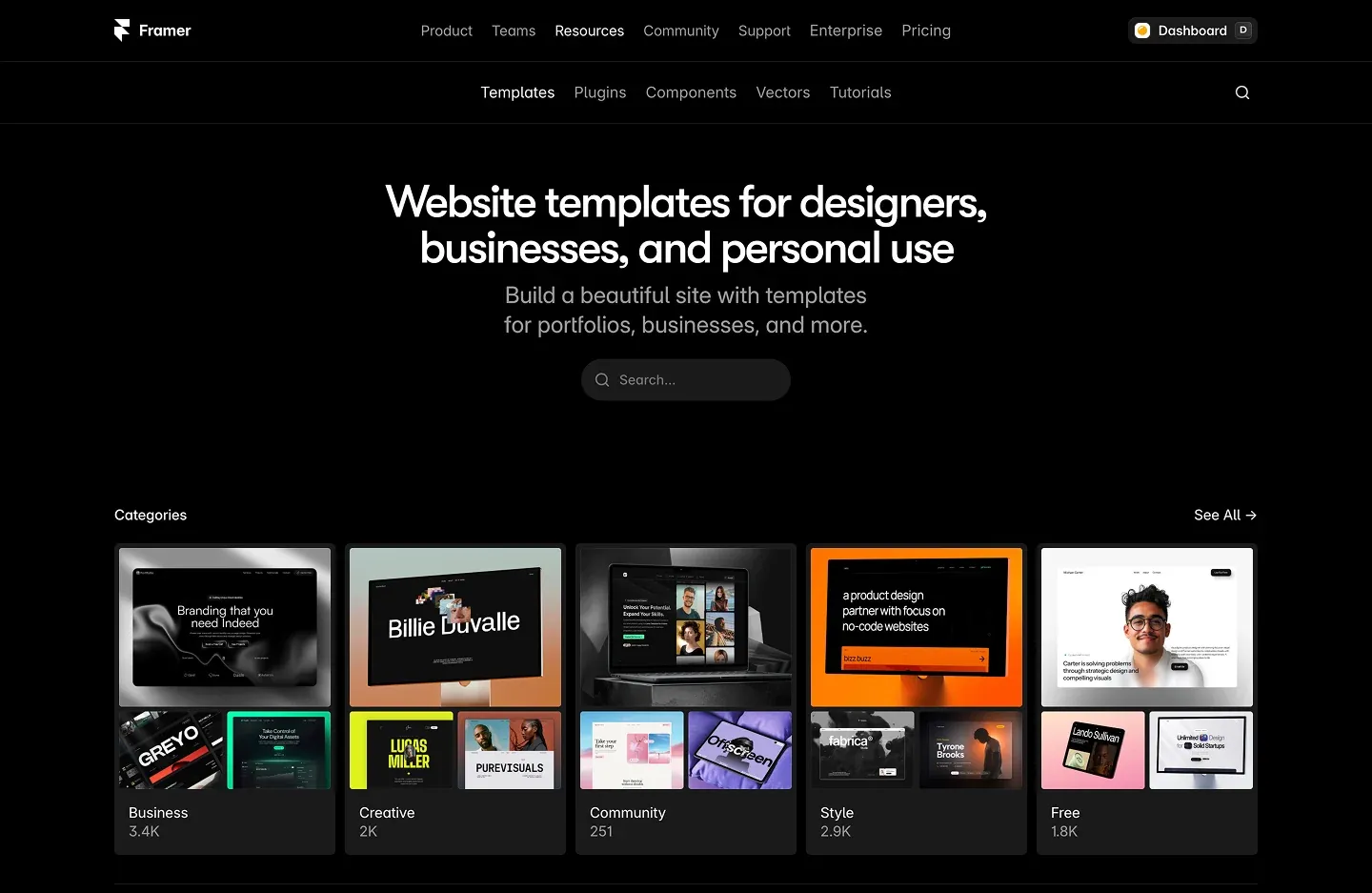
The marketplace is still young compared to Webflow’s or ThemeForest’s. Less competition, but the discovery model works against new creators. Popular templates get more visibility by default. New ones don’t get a traffic boost just for being approved. If you publish a template and sit back, nothing happens. The creators doing well there bring their own audience from Twitter, YouTube, or a blog. The marketplace converts that traffic. It doesn’t generate it.
Why I build templates for it
I chose Framer over Webflow for a few reasons. The community around it felt more alive, at least in the design circles I follow. More sharing, more experimentation, more people building things and showing their work. The templates were also significantly better. Not just more polished, but more thoughtful. You could tell designers were building them, not developers trying to make something look good.
Framer is also just easier to work in. After years in Figma, the switch felt natural. Less friction, faster output, and the results look the way I intended them to look.
That’s why I’m building yolktemplates. If you want to see what a well-built Framer template looks like, start here.
Is Framer worth it?
Framer is the best website builder I’ve used, and I’ve used a few. If you have any Figma experience, you’ll get comfortable fast. If you’re coming from Wix or Squarespace, expect a steeper climb.
Either way, the easiest way to get started is with a template. You skip the setup and go straight to making it yours.
Browse the templates at yolktemplates.com
FAQ
What is Framer used for?
Framer is a website builder used primarily for marketing sites, landing pages, portfolios, and blogs. It’s popular with designers because it works like Figma and doesn’t require a developer.
Is Framer free?
Framer has a free plan, but it puts a Framer subdomain on your site and runs their ads. For anything professional you need a paid plan, starting at $10 per month.
Is Framer better than Webflow?
Depends on what you need. Framer is easier to learn and produces more polished sites faster. Webflow gives you more developer-friendly control and better e-commerce. If you work in Figma, Framer will feel more natural.
Do I need to know how to code to use Framer?
No. But it helps to understand basic design principles. Framer is not as simple as Wix or Squarespace. It sits closer to Webflow in terms of complexity, just with a much friendlier interface.
Can I sell templates on Framer?
Yes. Framer has a built-in marketplace where designers sell templates. They take a 0% cut, so you keep everything you make.
How much does Framer cost?
Plans start at $10 per month for a personal site. A Pro plan runs $30 per month. Prices change often, so check framer.com/pricing before committing.
Further reading
- Why Designers Should Become Founders. Framer’s own blog, written by Koen Bok.
- Facebook Buys Sofa. The TechCrunch article from 2011 covering the acquisition.
- How Framer Started With Community From Day One. An interview with Framer’s team on how they built their community.
- Framer Brings Prototyping to the Web. Abduzeedo’s coverage of Framer Classic in 2014.
- Prototyping Just Went to the Next Level With Framer. Early coverage of Framer Classic.

Don Cluckleone has been in the design business for 20 years. He makes templates, writes about design, and occasionally makes offers you can't refuse. He's the head of the Yolk Templates family and takes inconsistent spacing very personally.